
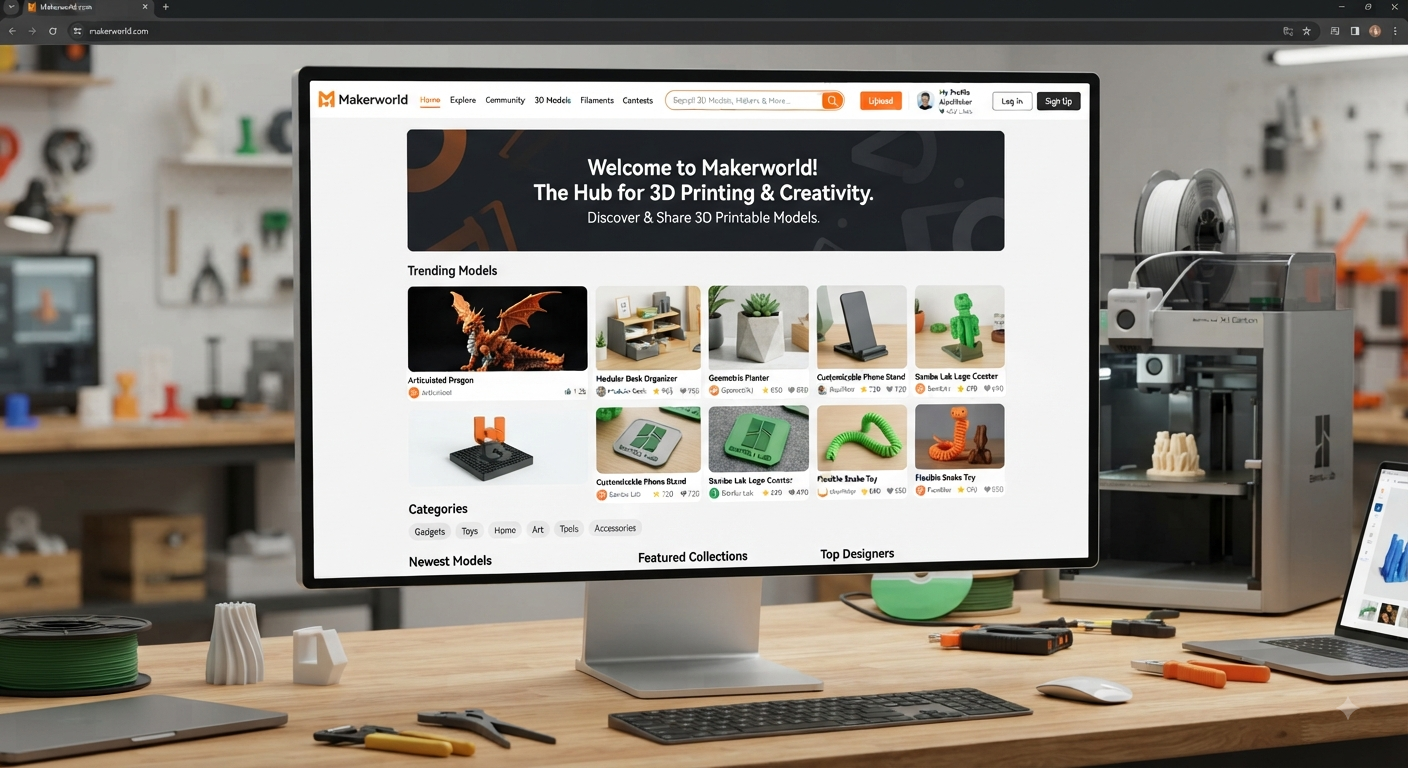
MakerWorld.com has grown from a Bambu Lab-backed 3D model library into something much broader: a discovery platform, printing workflow, creator community, design toolkit, and increasingly, a monetization ecosystem for 3D designers.
Its biggest advantage is not simply the number of downloadable STL files it hosts. The real difference is what happens between finding a model and pressing “Print.” Print profiles, Bambu Studio integration, cloud slicing, Bambu Handy, MakerLab generators, creator rewards, commercial licensing, and hardware-linked projects are designed to remove friction from that entire journey.
For Bambu Lab owners, that can make the platform remarkably convenient. For designers, sellers, and people using other 3D printers, the value is different—but still significant.
What Is MakerWorld.com?
MakerWorld.com is a 3D model-sharing platform developed by Bambu Lab and launched in 2023. Users can browse printable designs, download model files, follow designers, participate in contests, rate print profiles, create models with browser-based tools, and—in supported workflows—send projects toward a printer with very little manual setup.
You will find familiar 3D-printing categories such as:
- Functional tools and replacement parts
- Toys and articulated models
- Home organization projects
- Miniatures and decorative objects
- Printer accessories and upgrades
- Multicolor models
- Educational projects
- Electronics enclosures
- Lamps and mechanical builds
- Keychains, signs, vases, and customizable designs
Most importantly, the platform treats a printable project as more than a geometry file.
A traditional STL tells your slicer what an object looks like. A 3MF print profile can carry information such as orientation, plate arrangement, coloring, support choices, wall settings, and other printing decisions. That extra context is central to how MakerWorld reduces the trial-and-error normally associated with downloading somebody else’s model.
Why MakerWorld.com Feels Different From a Traditional STL Library
Many 3D-model repositories follow a simple workflow: find a design, download the STL, import it into a slicer, configure everything yourself, and hope the creator’s description contains enough information.
MakerWorld.com tries to shorten that process.
Print Profiles Are the Real Competitive Advantage
A model can have one or several print profiles. These may come from the original designer, MakerWorld itself, or other community members who have successfully prepared the object for a particular material, nozzle, color arrangement, or printer configuration.
Bambu Lab says its general ranking preference is creator profiles first, official profiles second, and community profiles third, although ratings and successful-print data can affect ranking.
That creates an important advantage for beginners. Instead of asking, “What support angle, wall count and orientation should I use?” you can start from settings somebody has already tested.
Still, do not blindly choose the first profile.
Check:
- Successful print count
- User rating
- Printed photos rather than renders alone
- Layer height
- Required material
- Support requirements
- Number of plates
- Estimated filament usage
- Printer and build-volume compatibility
- Comments mentioning tolerances or assembly problems
Those checks take less than a minute and can prevent hours of wasted filament.
One-Step Printing Goes Beyond Pre-Sliced G-Code
One subtle but important detail is how MakerWorld.com handles printing through Bambu’s ecosystem.
MakerWorld does not simply trust potentially unsafe printer settings contained in somebody else’s uploaded profile. Bambu Lab explains that its cloud workflow re-slices projects using the selected printer and filament parameters rather than blindly executing uploaded printer or filament configurations.
That distinction matters. It gives the convenience of community-created profiles while reducing the risk of treating an unknown user’s machine-specific G-code as authoritative.
Multi-part projects also benefit. Compatible workflows can organize plates, allow failed parts to be reprinted separately, expose assembly instructions, and adapt a profile when the selected printer, plate, or filament differs from the uploader’s setup.
STL, 3MF and CAD Files on MakerWorld.com
Users are not forced to rely exclusively on automated printing.
MakerWorld.com still supports more conventional downloading. STL files remain available where provided, while many projects include 3MF files and some creators also publish editable CAD formats such as STEP. MakerWorld’s own documentation confirms that STL upload and download remain supported.
Understanding the formats helps:
- STL: Basic mesh geometry; widely compatible but contains little printing context.
- 3MF: Can package geometry plus colors, multiple objects, plate layouts and print-related configuration.
- STEP/CAD: Better when you need to modify dimensions or continue engineering work in CAD software.
- Print profile: A prepared project containing choices intended to produce a reliable print.
For a simple figurine, an STL may be enough. For a multicolor mechanical assembly containing eight plates and dozens of parts, a well-tested 3MF profile can save considerable setup time.
Can You Use MakerWorld.com Without a Bambu Lab Printer?
Yes.
MakerWorld.com is closely integrated with Bambu Lab hardware, but access to the model library is not limited to Bambu printer owners. Users can download available model files and prepare them for compatible third-party machines with their slicer of choice. MakerWorld’s documentation specifically retains STL download functionality, while Bambu Studio itself also supports non-Bambu hardware.
What changes is convenience.
A Bambu user can benefit from the deepest integration between MakerWorld, Bambu Studio, Bambu Handy and supported printers. Someone with a Creality, Prusa, Elegoo, Anycubic or another machine may instead download the geometry and manually confirm dimensions, orientation, supports, temperature settings and build-volume compatibility.
That is not necessarily a disadvantage for experienced users. Many enthusiasts prefer controlling the slicing process themselves.
MakerLab Turns Browsing Into Lightweight Design
One of MakerWorld’s more interesting developments is MakerLab, a collection of tools that helps users generate customizable printable objects without requiring full CAD expertise.
Projects published on the platform demonstrate tools for tasks such as Image to Keychain and Make My Sign, with generated designs flowing back into printable MakerWorld projects.
This changes the platform’s role.
Instead of only asking, “What can I download?” beginners can ask, “What can I create without learning Fusion, Blender or SolidWorks first?”
MakerLab will not replace serious parametric CAD or sculpting software. Its value is speed. A personalized sign, keychain, vase or similar object can move from idea to printable file in minutes rather than requiring a full modeling workflow.
How the MakerWorld.com Rewards System Works in 2026
Creators are a major part of the platform’s growth, and MakerWorld.com uses points and other incentive mechanisms to encourage useful, original models.
The reward system has changed substantially over time.
In 2026, MakerWorld announced a stronger emphasis on quality, user value, originality, presentation, functionality, technical execution and ongoing creation rather than treating raw download counts as the only meaningful signal. The platform also expanded its print/download milestone structure from four tiers to nine and said newer designs would receive additional weighting while rewards attributable to older models could gradually decrease.
That has two consequences for creators.
First, uploading dozens of trivial variations is a weaker long-term strategy than producing a polished project that people actually print. Second, creator income should never be forecast by applying an old fixed “points per download” formula to future traffic.
MakerWorld has also explicitly targeted manipulation such as artificial downloads, print trading and fake engagement.
What Makes a Strong Creator Upload?
A high-performing upload should answer practically every question a maker has before starting the job:
- Show real finished-print photography.
- Upload a verified, sensible print profile.
- Explain filament and material requirements.
- State whether supports are necessary.
- Add clear assembly instructions.
- List required screws, magnets, bearings or electronics.
- Describe tolerances where fit matters.
- Respond to meaningful user feedback.
- Publish genuinely original work rather than cosmetic duplication.
This is good platform optimization, but it is also simply good product documentation.
Making Money Through MakerWorld.com
Points are only one part of the creator economy developing around MakerWorld.com.
Commercial License Memberships
Eligible designers can establish commercial memberships that allow subscribers to sell physical prints under terms defined by the creator.
Current MakerWorld documentation lists eligibility requirements including 200 followers, 600 cumulative model prints, and no qualifying guideline violations during the preceding 90 days. The program keeps downloadable models available for personal use rather than placing the digital model library behind a conventional paywall.
Creators determine their license terms within the platform’s rules. That makes the feature particularly relevant to Etsy sellers, craft businesses, print farms and local makers who want legitimate rights to sell somebody else’s design rather than assuming a free download automatically permits commercial production.
Maker’s Supply and BOM Commissions
Maker’s Supply adds another layer: physical components.
A designer can create a printable product requiring items such as motors, bearings, electronics, fasteners or other parts and associate those components through a Bill of Materials (BOM).
In February 2026, MakerWorld removed the previous per-model performance threshold for BOM sales commissions once a creator has commission access activated. Eligible BOM-equipped models can therefore generate commission without individually crossing the former downloads-plus-prints threshold. MakerWorld says commission ratios vary by factors such as product economics and generally range from 3% to 15%.
That is an important evolution. A creator is no longer monetizing only the file; they can participate economically in the physical ecosystem required to complete the project.
Crowdfunding for Larger Projects
MakerWorld has also introduced crowdfunding for ambitious 3D-printable projects.
Rather than designing a large mechanical system for weeks and hoping downloads eventually compensate the work, participating creators can seek backing before or during development. Projects may offer digital rewards, early access or other campaign benefits.
This pushes MakerWorld closer to a creator-business platform than a basic file host.
Licensing, Copyright and IP: Read Before You Print or Sell
Finding a free model on MakerWorld.com does not automatically give you unrestricted commercial rights.
Always read the specific license shown on the model page.
Depending on the license and creator terms, you may be prohibited from:
- Redistributing the digital file
- Uploading it to another platform
- Selling modified digital versions
- Selling physical prints
- Using copyrighted characters commercially
- Creating unauthorized derivative works
Commercial memberships can grant additional rights to physical-print sellers, but those rights depend on the creator’s terms. MakerWorld’s membership agreement also makes clear that creators retain ownership of their program models subject to the licenses they grant to the platform and subscribers.
Intellectual-property enforcement is becoming more important across 3D printing generally. In 2026, MakerWorld expanded copyright-protection efforts for qualifying original designers, while a separate Pop Mart dispute highlighted the very real risks created when users upload designs based on protected commercial IP.
For print sellers, the safest rule is simple: free to download does not mean free to sell.
MakerWorld.com vs Printables, Thingiverse and Other Model Sites
No single repository is best for every maker.
MakerWorld.com is particularly strong when you value an integrated path from model discovery to printing. Bambu users get the greatest benefit because the surrounding ecosystem includes Bambu Studio, Bambu Handy, printer-aware profiles and cloud-based preparation.
Competitors still have meaningful advantages. Thingiverse has a deep historical archive, while Printables is strongly associated with Prusa’s ecosystem and an established design-contest community. A 2026 comparison of the three similarly identifies MakerWorld’s workflow integration and prepared profiles as key differentiators rather than raw file availability alone.
A practical strategy is not to become loyal to one repository.
Search multiple libraries for difficult projects, then judge individual models based on documentation, real print evidence, licensing, file quality and community feedback.
How to Use MakerWorld.com More Effectively
The biggest mistake is choosing a model solely because its thumbnail looks impressive.
Use this workflow instead:
- Search by function first. Describe the problem you need to solve, not only the object name.
- Inspect real printed photos. They reveal bridging, surface finish and assembly quality better than renders.
- Compare print profiles. A popular design may have several profiles optimized for speed, strength, color or different nozzle sizes.
- Read recent comments. Watch for broken tolerances, missing parts and creator-posted revisions.
- Check dimensions. Never assume a phone mount, bearing holder or enclosure fits your hardware.
- Verify the license before selling anything.
- Review filament usage and print time before committing to a large decorative project.
- Open complex jobs in your slicer. Even a highly rated profile deserves a preview before a long print begins.
That last step is especially important.
Automatic workflows are convenient, but experienced printing still involves judgment. Examine support placement, first-layer footprint, color changes, purge volume, thin walls and part orientation before committing expensive filament.
Is MakerWorld.com Worth Using?
For Bambu Lab owners, MakerWorld.com is one of the most naturally integrated places to discover printable projects because model discovery, print profiles, slicing and mobile printer control can work as parts of the same ecosystem.
For non-Bambu users, the case is less about one-click printing and more about access to a large stream of community designs, printable STLs, project documentation and creator activity.
Designers have an additional reason to pay attention. Points, commercial memberships, BOM commissions, crowdfunding, contests and emerging brand collaborations are turning a free model repository into a multi-layered creator ecosystem. In July 2026, for example, Bambu Lab and Insta360 launched a design challenge around publicly downloadable official camera files, with Insta360 establishing what Bambu described as MakerWorld’s first official camera-brand presence.
That trajectory may ultimately be more significant than the site’s model count.
Frequently Asked Questions About MakerWorld.com
1. Is MakerWorld.com free to use?
Yes. MakerWorld.com remains free for browsing and personal-use model downloading, and MakerWorld’s current FAQ states that its models are not placed behind standard file-download paywalls. Optional commercial memberships exist for users who need additional rights, such as permission to sell physical prints.
Always check the license attached to an individual design, because “free download” describes access to the file—not every possible use of it.
2. Do I need a Bambu Lab printer to download MakerWorld models?
No. You can use MakerWorld.com without owning a Bambu Lab printer and download available model files for preparation in compatible slicing software.
Bambu owners receive the smoothest automated experience because MakerWorld connects directly with Bambu Studio, Bambu Handy and supported Bambu printers. Third-party printer users may need to perform more manual slicing and compatibility checks.
3. What is the difference between an STL and a MakerWorld print profile?
An STL mainly describes the surface geometry of an object. It normally does not tell your slicer how the creator oriented the part, configured supports, arranged plates or assigned multiple colors.
A print profile built around 3MF can retain far more project context, including orientation, arrangement, strength settings and coloring information. MakerWorld’s cloud workflow can then adapt relevant project information to the printer and material selected by the user.
4. Can I sell products printed from MakerWorld models?
Not automatically.
You must check the model’s license and any applicable creator membership terms. Some designers offer commercial memberships specifically granting subscribers permission to sell physical prints, while standard licenses may prohibit commercial use entirely.
If you operate an Etsy store, print farm or local 3D-printing business, keep evidence of the license or subscription covering every third-party design you sell.
5. Can creators actually earn money from MakerWorld?
Yes, although earnings are neither guaranteed nor based on one permanent formula.
Creators may benefit from the platform’s general rewards system, commercial license subscriptions, eligible BOM sales commissions and selected crowdfunding opportunities. The 2026 rewards update places additional emphasis on model quality, originality, user experience and continuing creation, so a creator strategy based solely on maximizing uploads or chasing raw downloads is increasingly fragile.
Final Verdict: Start With the Model, but Evaluate the Whole Project
MakerWorld.com is most useful when you stop thinking of it as a folder full of STL files.
Its stronger proposition is the layer surrounding those files: tested print profiles, slicer integration, mobile printing, MakerLab creation tools, community feedback, licensing, creator incentives, component-linked projects and increasingly sophisticated monetization options.
If you are a maker, start by finding a model you genuinely want to print, compare its profiles, inspect real-world results and verify the license before downloading. If you are a designer, treat every upload like a small product launch—test it, photograph it, document it, provide a reliable profile and solve a real problem.
That is where the platform offers the most value. And it is also the approach most likely to turn MakerWorld.com from another bookmarked 3D-model website into a genuinely useful part of your printing workflow.