
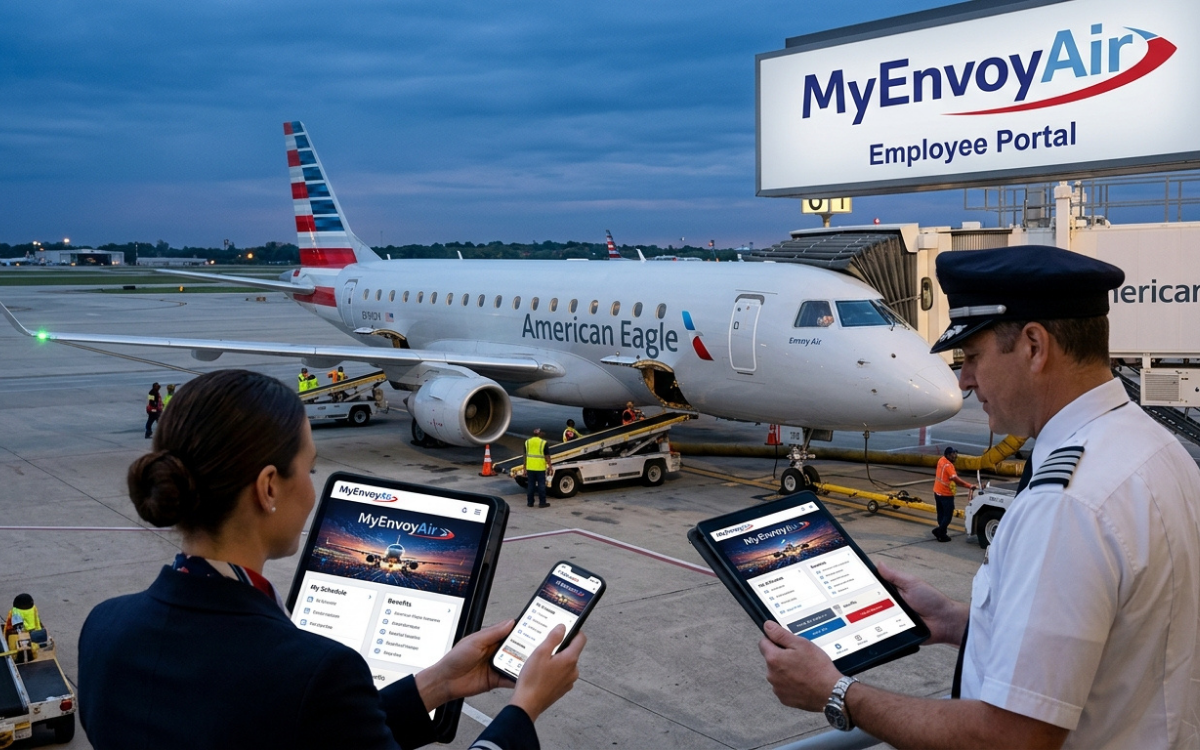
The Myenvoyair.com login is the gateway Envoy Air employees use to reach the company’s internal portal and connected work resources. If you are trying to sign in, register an AA ID, recover a password, troubleshoot a locked account, or locate pay and tax documents, the most important first step is using the correct Envoy/American Airlines access path rather than a third-party “login” website.
Envoy Air is a wholly owned subsidiary of American Airlines Group and operates regional service under the American Eagle brand. Envoy says it has more than 22,000 employees and operates about 1,000 daily flights to more than 160 destinations, which helps explain why a centralized employee portal is essential for payroll, benefits, travel, HR information, and workgroup-specific resources.
What Is the Myenvoyair.com Login Portal?
The Myenvoyair.com login provides authorized employees with access to Envoy’s internal website. Envoy’s own brand guidance describes myenvoyair.com as the company’s internal employee portal and notes that it can simply be called “the portal” in company communications.
This is not a public customer account like an airline booking profile. It is an employee-facing environment tied to American Airlines identity and access systems, including AA ID, System Access Manager (SAM), and the PFLogin authentication flow.
Official Envoy material also makes an important eligibility distinction: access to my.envoyair.com is limited to active, current employees. Flight attendant trainees do not receive portal access until they are assigned an active flight attendant position.
What can employees reach through the portal?
The exact tools visible to you depend on your role and account permissions. Official Envoy resources point employees toward services covering:
- Pay and benefits
- ADP pay statements and W-2 access
- 401(k) information through Empower
- Employee travel resources
- Employment verification
- Personal information updates
- IT support, Duo multi-factor authentication, and SAM
- Workgroup-specific systems and internal documents
A useful distinction: the portal is often a launch point. Some payroll, travel, crew, benefits, or HR functions may open a separate service and require another authentication step.
How to Complete the Myenvoyair.com Login
For most active employees, the safest route is to start from the Envoy portal address supplied by the company and allow it to send you through the approved American Airlines authentication flow. The Myenvoyair.com login should never require you to hand credentials to an unrelated blog, “portal directory,” or login-help website.
The current American Airlines PFLogin interface asks for an AA ID, then continues to the password stage. It also includes a First time user? option that routes new users to System Access Manager registration.
Step-by-step Myenvoyair.com login process
- Open the official Envoy employee portal address provided by Envoy.
- Confirm that any authentication redirect stays on an aa.com or other company-approved domain.
- Enter your AA ID when prompted.
- Select Next and enter your password.
- Complete any additional authentication challenge required for the resource you are opening.
- After authentication, continue to the Envoy portal or the selected employee application.
- When finished, sign out—especially if the device is shared.
Do not bookmark a long PFLogin URL containing a temporary flowId. Authentication gateways can generate session-specific or application-specific URLs; the safer habit is to bookmark the employee portal or official application entry point and let it create the correct sign-in flow.
First-Time Myenvoyair.com Login and SAM Registration
A first-time Myenvoyair.com login is different from an ordinary sign-in because your identity must be registered in System Access Manager (SAM). The current PFLogin page explicitly tells first-time users that they need to register by entering information about themselves into SAM and provides a Register now action.
Use the details issued during onboarding and follow the identity-verification prompts exactly. Do not rely on credential formats, “default passwords,” or employee-number examples published by unofficial websites; those details can become outdated and may create unnecessary security risk.
If “First time user?” does not solve the problem
Check three things before escalating:
- Employment status: Your profile must be active and provisioned for the portal.
- AA ID accuracy: Verify the ID from an official onboarding or company source.
- Account provisioning: Newly hired employees may have credentials before every internal application has finished assigning access.
If your account is marked disabled, the current PFLogin interface instructs users to contact a manager or supervisor for assistance.
Forgot Your Password? Myenvoyair.com Login Recovery
Password problems are among the most common reasons a Myenvoyair.com login fails. The PFLogin interface includes a Forgot password? option and, when an account is locked, presents a Reset Password action. It also recognizes temporary or expired passwords and can require a reset before access continues.
The best recovery method is the one shown inside the official authentication flow. Avoid “password reset” links supplied by third-party articles, search ads, forum posts, or emails unless you can independently verify the destination.
A practical recovery sequence
Try these steps in order:
- Re-enter the AA ID carefully and check for accidental spaces.
- Make sure Caps Lock or an unexpected keyboard layout is not changing the password.
- Use Forgot password? from the official PFLogin screen.
- If the account is locked, use the official Reset Password option.
- If the account is disabled, contact your manager, supervisor, or approved support channel.
- If you changed your password recently, close old sessions before trying again.
Repeated attempts with an incorrect password can make troubleshooting harder. Once you know the password is uncertain, switch to the recovery flow instead of guessing.
Duo MFA and Myenvoyair.com Login Security
Not every screen behaves identically, but Envoy officially lists Duo Multi-Factor Authentication as an IT resource, and workgroup documentation shows Duo authentication being required when employees open certain connected services such as crew pay systems and ADP.
That means a successful Myenvoyair.com login may still be followed by an MFA challenge when you enter a protected application. This is normal: single sign-on can authenticate your identity first, while individual systems can require stronger verification based on the application, network, device, or security policy.
What to do if Duo is not working
Start with the basics:
- Confirm the enrolled phone has internet or cellular connectivity.
- Open Duo manually if a push notification does not appear.
- Check whether the device time and date are set automatically.
- Do not approve an MFA prompt you did not initiate.
- If you replaced or lost the enrolled device, use the approved IT support process to restore access.
Unsolicited MFA prompts deserve attention. If you receive repeated authentication requests when you are not signing in, deny them and report the activity through your company’s approved support channel.
Myenvoyair.com Login Not Working? Use This Troubleshooting Checklist
A failed Myenvoyair.com login does not always mean the password is wrong. Authentication issues can come from stale sessions, browser settings, expired credentials, account status, a missing application entitlement, or a temporary service problem.
Work through the problem methodically rather than changing several things at once.
1. Start from the portal, not a copied PFLogin session URL
A bare or stale PFLogin address can produce an error because the authentication service expects an application-specific request. The current PFLogin site itself can display messages such as “Something went wrong,” and some direct login endpoints indicate that the user should use the application URL.
Starting again from the Envoy employee portal creates a fresh authentication request. It also reduces the chance that you are trying to reuse an expired or context-specific sign-in URL.
2. Try a clean browser session
Close old tabs, then open a new private or incognito window and start again from the official portal. If that works, stale cookies or cached session data were likely involved.
You can then clear relevant browser data in your normal browser before trying again. There is usually no need to erase your entire browsing history just to diagnose one enterprise login.
3. Check JavaScript, cookies, and browser extensions
Enterprise single sign-on often depends on redirects, cookies, and client-side scripts. Aggressive privacy extensions, script blockers, or locked-down browser settings can interrupt that chain.
Try disabling problematic extensions for the login attempt or test another current browser. If the second browser succeeds, the account itself is probably fine and the issue is local to the original browser.
4. Separate “login failure” from “no access”
If your AA ID and password work but a specific application says you are unauthorized, the problem may be entitlement or role provisioning, not authentication. That distinction matters because changing your password will not fix missing permissions.
Think of authentication as proving who you are and authorization as determining what you are allowed to open. Employees changing workgroups, locations, or job functions can encounter the second type of problem even when their credentials remain valid.
5. Read the error message literally
“Locked,” “disabled,” “expired password,” and “something went wrong” are different conditions. The PFLogin interface exposes separate recovery paths for several of these states, so use the action that matches the message on screen.
Taking a screenshot of the exact error—without exposing your password, MFA code, or sensitive personal information—can also make an approved support request easier to diagnose.
Mobile Access: Can You Use Myenvoyair.com Login on a Phone?
Employees may attempt the Envoy employee portal sign-in from a phone or tablet, but mobile sign-in can involve more handoffs between the browser, PFLogin, Duo, and the destination application. If the process loops repeatedly, first try the default browser, temporarily disable content blockers for company domains, and restart from the portal rather than a saved authentication URL.
Mobile access is especially useful when you need a quick employee resource away from a desktop. The experience may still vary by application because the portal can lead to separate services with their own mobile behavior and security requirements.
For sensitive actions such as downloading tax documents, changing direct-deposit information, or updating personal data, use a device and network you trust. Public computers and shared airport workstations deserve extra caution because saved browser sessions can expose account information.
Former Employees: Why the Myenvoyair.com Login May Be Denied
Former employees often search for the Myenvoyair.com login because they need an old pay statement, W-2, retirement information, or employment verification. Envoy’s official guidance says the internal portal is limited to active current employees, so a former employee should generally use the dedicated external resource for the task instead.
Envoy currently directs former employees to several separate services:
- Pay statements before July 1, 2021: ePays
- Pay statements on or after July 1, 2021: myADP
- W-2 information: myADP, with specific registration instructions depending on employment dates
- 401(k): Empower
- Employment verification: The Work Number
- Retiree travel: The regional retiree travel resource
- Former Canada-based employee records: Dayforce for specified historical documents
This is one of the most useful distinctions for searchers. An “access denied” message may be correct behavior if your employment status no longer qualifies for the internal portal.
Former employees looking specifically for a W-2
Envoy says people who worked for the company after January 1, 2021 can access W-2 information through myADP using their SAM login. Different registration instructions apply to people who stopped working for Envoy before that date.
That is why repeatedly trying the internal employee portal is rarely productive after separation. Start with the type of record you need—W-2, pay statement, retirement account, or employment verification—and use Envoy’s designated service for that record.
How to Recognize a Legitimate Myenvoyair.com Login Page
Because employee-login keywords attract unofficial “login guide” sites, security should be part of the search process. Treat the Myenvoyair.com login as an enterprise credential flow, not as an ordinary public website form.
Before entering an AA ID or password, verify:
- You started from a known Envoy Air or American Airlines source.
- The authentication domain belongs to aa.com or another company-approved domain.
- The page uses HTTPS.
- You did not arrive through a suspicious redirect, pop-up, or shortened link.
- The page is not asking for unusual information unrelated to authentication.
- Your password manager, if used, recognizes the expected company domain.
A polished page is not proof of legitimacy. Domain verification matters more than logos, colors, or copied branding.
Why search results can be risky for employee portals
Someone searching “Envoy Air employee login” may encounter unofficial sites positioned between the search result and the real portal. Some are harmless informational pages; others may contain outdated instructions or links that are difficult to verify.
The safest pattern is simple: once you have confirmed the legitimate portal through an Envoy-controlled source, bookmark that entry point. Future logins can then begin there instead of relying on a fresh search every time.
What to Do After a Successful Myenvoyair.com Login
Once the employee portal sign-in succeeds, use the portal as a controlled starting point for employee services rather than keeping dozens of deep links. That approach reduces broken bookmarks and makes it easier to follow company changes to payroll, benefits, travel, or HR systems.
For payroll in particular, official Envoy resources currently point employees toward ADP for newer pay statements and W-2 access, while Empower is used for 401(k) information and The Work Number handles employment verification.
A simple maintenance habit helps: review your contact information, recovery options, and MFA device whenever your phone number or device changes. Access problems are much easier to solve before you urgently need a tax form or pay record.
Smart Security Habits for Envoy Employees
The Myenvoyair.com login can lead to systems containing payroll, employment, benefits, travel, and personal information. Treat the account with the same care you would give online banking credentials.
A few practices substantially reduce unnecessary risk:
- Use a unique password that is not reused on personal websites.
- Never share passwords or MFA codes with another person.
- Reject authentication requests you did not initiate.
- Sign out after using a shared machine.
- Avoid saving credentials on public or communal computers.
- Verify domains before entering employee information.
- Keep your MFA device and recovery information current.
- Report suspicious login activity through approved company channels.
Be especially skeptical of anyone contacting you and asking you to read back an MFA code. Multi-factor authentication only protects an account when the second factor remains under your control.
Frequently Asked Questions About Myenvoyair.com Login
1. What is the official Myenvoyair.com login used for?
The Envoy employee portal login is used by authorized Envoy employees to access the company’s internal portal and connected employee resources. Envoy’s own materials identify myenvoyair.com as its internal portal, while American Airlines PFLogin handles the AA ID authentication experience.
It can serve as a starting point for payroll, benefits, travel, HR, IT, and other work-related services. What appears after authentication depends on the employee’s role, employment status, and application permissions.
2. Who can access MyEnvoyAir?
Official Envoy guidance says access to my.envoyair.com is limited to active, current employees. Flight attendant trainees do not receive access until they are assigned an active flight attendant position, and former employees are directed to separate services for payroll, W-2, retirement, travel, and verification needs.
If you previously had access but now receive an access-denied message after leaving Envoy, that may therefore be expected rather than a password problem.
3. How do I register for MyEnvoyAir for the first time?
Begin the Myenvoyair.com login through the official portal and choose First time user? when the PFLogin screen appears. PFLogin directs first-time users to System Access Manager (SAM) and provides a Register now option for completing identity registration.
Use only the employee information supplied or confirmed through official onboarding channels. Avoid copying supposed default passwords or registration credentials from third-party login guides.
4. How do I reset a forgotten MyEnvoyAir password?
Use Forgot password? on the official PFLogin password screen. If the account is locked, PFLogin can display a dedicated Reset Password option; if it is disabled, the interface tells the user to contact a manager or supervisor.
If you know the password is wrong, use recovery instead of repeatedly guessing. That gives you a cleaner troubleshooting path and reduces the possibility of additional lockout issues.
5. Can former Envoy employees use the same Myenvoyair.com login?
Generally, no. Envoy states that its internal portal is limited to active employees and provides former employees with alternative resources such as myADP, Empower, The Work Number, retiree travel tools, and Dayforce for certain Canada-based historical records.
The right service depends on what you are trying to retrieve. Start with the document or benefit—such as a W-2, historical pay statement, 401(k), or employment verification—rather than trying to regain access to the active-employee portal.
Conclusion: Use the Official Portal, Then Fix the Exact Problem
The fastest way to solve a Myenvoyair.com login problem is to identify the failure precisely. Start from the official Envoy portal, verify the authentication domain, use your AA ID, complete any required MFA, and choose the built-in registration or password-recovery option instead of trusting third-party login links.
If you are an active employee and the account is locked, disabled, or missing access to a specific application, follow the on-screen PFLogin guidance and your approved Envoy support process. A password reset can solve an authentication problem, but it will not correct missing role permissions or an inactive employee status.
If you are a former employee, skip repeated portal attempts and go directly to the official resource for the document or benefit you need. That one distinction can save the most time—and keeps your credentials where they belong.