
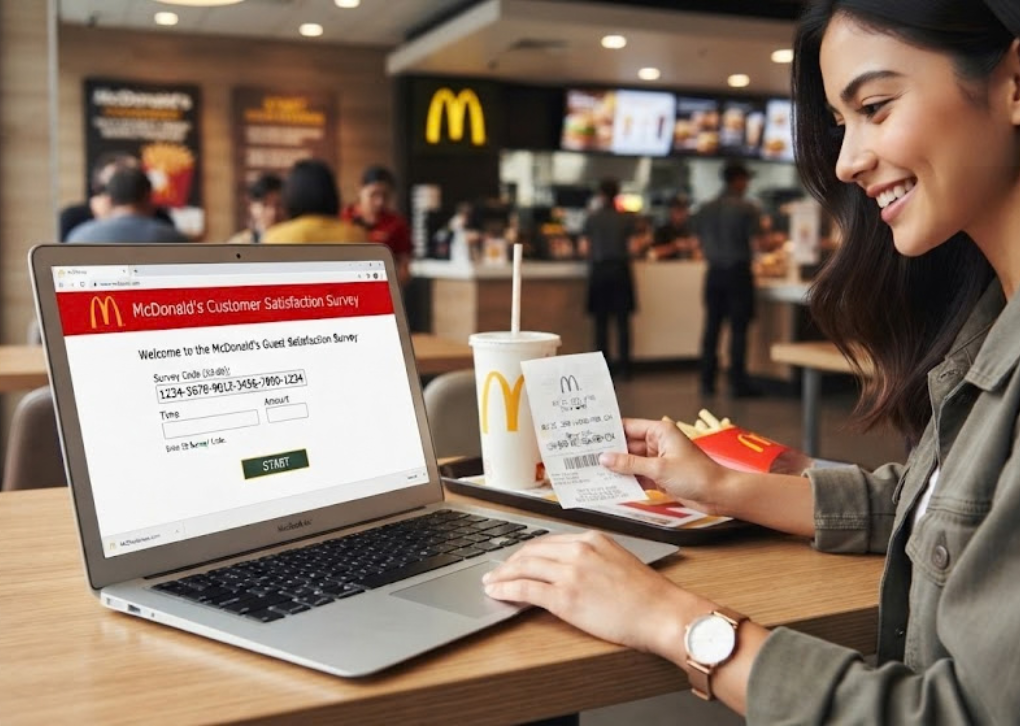
The Mcdvoice.com survey with receipt gives McDonald’s customers an opportunity to share feedback about their dining experience and receive a validation code for an offer on a future visit. Whether you ordered a Big Mac, picked up breakfast through the drive-thru, or stopped for a quick coffee, an eligible purchase receipt may contain an invitation to participate in the restaurant’s customer satisfaction survey.
Completing the survey is relatively straightforward, but understanding the receipt requirements is important. Customers sometimes confuse the original survey code with the validation code, overlook the offer’s expiration date, or struggle to enter their purchase information correctly.
This guide explains how to complete the Mcdvoice.com survey with receipt, locate the required information, understand the available rewards, and resolve common participation problems. It also clarifies which rules are confirmed by McDonald’s and which depend on the particular receipt or restaurant.
What Is the Mcdvoice.com Survey With Receipt?
The Mcdvoice.com survey with receipt is an online customer satisfaction questionnaire operated for McDonald’s customers in the United States. Its purpose is to collect feedback about recent restaurant visits, helping the company and participating restaurants understand how customers experience their food, service, and facilities.
Customers can access the questionnaire through the official McDVoice website. The survey ordinarily begins by asking participants to enter the 26-digit survey code printed on their receipt.
After completing the questionnaire, participants receive a validation code that can be used to redeem the specific offer printed on their receipt. McDonald’s explicitly states that eligibility to complete the survey and redeem the offer does not depend on whether the customer provides positive or negative feedback.
Why Does McDonald’s Conduct Customer Surveys?
Customer feedback can reveal operational problems that might not appear in ordinary sales reports. For example, a restaurant may serve hundreds of orders during a busy lunch period while remaining unaware that customers frequently experience long waits at its pickup counter.
The survey provides a structured way to gather information about different aspects of the dining experience. Depending on the questionnaire, relevant topics may include:
- Food quality: Temperature, freshness, taste, and overall satisfaction.
- Order accuracy: Whether the customer received the items they ordered.
- Staff behavior: Friendliness, communication, and helpfulness.
- Restaurant cleanliness: Dining areas, counters, and general hygiene.
- Service speed: Waiting times at the counter, drive-thru, or pickup area.
- Overall experience: Whether the visit met the customer’s expectations.
Such feedback can help restaurant operators identify recurring concerns, recognize successful service practices, and understand where improvements may be necessary.
Mcdvoice.com Survey With Receipt: Requirements Before You Start
Before beginning the Mcdvoice.com survey with receipt, check that you have the information needed to access the questionnaire. Preparing these details in advance can prevent interruptions and reduce the likelihood of entering incorrect information.
The most important requirement is a receipt containing a survey invitation or the purchase information accepted by the official website.
| Requirement | Details |
|---|---|
| Official website | www.mcdvoice.com |
| Receipt | An eligible McDonald’s purchase receipt |
| Survey code | The 26-digit code, when printed |
| Alternative entry | Restaurant and transaction details |
| Device | Smartphone, tablet, or computer |
| Internet | An active internet connection |
| Language | English or Spanish |
| Reward | The offer specified on the receipt |
| Completion | A validation code issued after the survey |
The current website provides an alternative entry method when the receipt does not contain a 26-digit code. However, access to that method does not guarantee that every receipt will qualify.
Understanding Survey Eligibility and Deadlines
The Mcdvoice.com survey with receipt is intended for customers with qualifying transaction information. Participants should check their receipt and the live questionnaire for any applicable submission deadline, redemption period, or other restrictions.
Many independent survey guides refer to a seven-day participation window, but that should not be treated as a universal rule for every receipt. Follow the terms provided with your particular survey invitation rather than relying on a deadline quoted by an unofficial website.
The same principle applies to participation limits and reward restrictions. If the printed terms impose additional conditions, those conditions should guide how and when you complete the questionnaire.
How to Complete the Mcdvoice.com Survey With Receipt: Step-by-Step Guide
You can complete the Mcdvoice.com survey with receipt through a compatible web browser. Having your receipt beside you makes the process easier because you may need to refer to transaction details before the questionnaire begins.
Step 1: Visit the Official Survey Website
Open your preferred browser and enter https://www.mcdvoice.com/ into the address bar. Confirm that the website displays the McDonald’s Customer Satisfaction Survey rather than an unrelated promotional page.
The survey supports English and Spanish, so choose the language in which you are most comfortable answering questions. Using the official address is important because similarly named third-party websites may publish guides without operating the actual questionnaire.
Step 2: Find Your 26-Digit Survey Code
The standard Mcdvoice.com survey with receipt entry process asks for a 26-digit survey code located around the middle of the receipt. Look for the survey invitation and its associated sequence of numbers.
The official entry form divides the code into six fields. The first five fields each contain five digits, while the final field contains one digit.
Enter the complete code carefully, preserving the original order of the numbers. If you cannot find a code, use the alternative receipt-entry option rather than guessing or entering an unrelated transaction number.
Step 3: Start the Questionnaire
After entering your code, select the option to start the survey. The system will attempt to validate the information and determine whether you can proceed.
If an error appears, compare every digit with your receipt before making another attempt. Check the receipt date and any applicable participation restrictions if the information appears correct but the survey is still unavailable.
Step 4: Answer the Survey Questions
Once the Mcdvoice.com survey with receipt begins, answer the questions according to your actual experience. The questionnaire may ask about your food, restaurant environment, service speed, staff interactions, and overall satisfaction.
Choose the responses that most accurately reflect your visit. If an optional comment box appears, use it to explain specific problems or recognize particularly helpful service.
For example, saying that your order was missing an item and describing what happened is more useful than providing a general negative comment. Accurate feedback gives the restaurant clearer information about the experience you want it to understand.
Step 5: Submit Your Responses
Review your answers where the questionnaire permits and follow the on-screen instructions to submit them. Avoid closing the browser or refreshing the page while the submission is being processed.
Once the questionnaire has been completed successfully, the website should display a validation code. McDonald’s confirms this process in its official customer survey FAQ.
Step 6: Save Your Validation Code
The validation code is the information you need to redeem the receipt’s survey offer. Write it in the designated space on the original receipt, if one is provided, and keep the receipt in a safe place.
You can also make a personal record of the code in case the printed information becomes difficult to read. Keep the original receipt because the restaurant may require it when processing the offer.
How to Complete the Mcdvoice.com Survey With Receipt Without a 26-Digit Code
A missing survey code does not automatically prevent participation. The official website includes an alternative entry method for customers whose receipts do not display the standard 26-digit sequence.
To use this version of the Mcdvoice.com survey with receipt, select the link for customers who do not have a 26-digit code. The website will display a form requesting information from your transaction.
The alternative form asks for the following details:
| Information | What to enter |
|---|---|
| Store number | The restaurant’s identifying number |
| KS number | The KS number shown on the receipt |
| Visit date | Month, day, and year of purchase |
| Visit time | The time printed on the receipt |
| Order number | The transaction’s order number |
| Amount spent | The purchase total in dollars and cents |
These are the fields shown on the official alternative receipt-entry page. Enter the information exactly as printed because even a small discrepancy can prevent the system from validating the transaction.
Where Can You Find the Required Receipt Details?
The restaurant number is different from the order number. McDonald’s receipt information guide explains that the restaurant number is identified near the restaurant details, while the order number appears with the transaction information.
The visit date and time are normally displayed in the receipt’s transaction section. For the purchase amount, look for the total rather than the subtotal or the price of an individual item.
The KS number should be copied from the receipt wherever it appears in the relevant transaction information. If a required detail is missing or illegible, do not substitute a different number simply to complete the form.
Mcdvoice.com Survey With Receipt Rewards: What Can You Receive?
One reason customers complete the Mcdvoice.com survey with receipt is the opportunity to redeem the offer associated with their purchase. However, it is important to understand that the survey does not promise the same reward to every participant.
The official questionnaire states that customers receive a validation code for the offer printed on their receipt. Consequently, the receipt itself is the authoritative source for determining what you can redeem.
Depending on the promotion, survey-related offers may involve a complimentary eligible menu item, a purchase-related discount, or another restaurant-specific benefit. These are examples of possible offer types, not guaranteed nationwide rewards.
How to Redeem Your McDonald’s Survey Reward
After completing the Mcdvoice.com survey with receipt, prepare your validation code and check the redemption instructions. Read the offer carefully to determine whether a qualifying purchase, particular menu selection, or participating restaurant is required.
When you visit the restaurant, present the receipt and validation code according to the offer’s instructions. Staff can then determine whether the offer can be redeemed under its stated conditions.
Pay particular attention to expiration dates and exclusions. A validation code confirms successful survey completion, but it does not override the rules printed on the offer.
Survey Code vs. Validation Code
These two numbers serve different purposes, and confusing them can create problems during redemption.
| Survey code | Validation code |
|---|---|
| Appears on an eligible receipt | Appears after survey completion |
| Used to access the questionnaire | Used to redeem the receipt offer |
| Typically contains 26 digits | Format may vary |
| Entered on the survey website | Presented according to the offer instructions |
The easiest way to remember the difference is that the survey code starts the process, while the validation code is the result of completing it.
Common Mcdvoice.com Survey With Receipt Problems and Their Solutions
Although the Mcdvoice.com survey with receipt process is designed to be straightforward, technical issues and transaction-information errors can occasionally interrupt participation.
Most problems can be investigated by checking the receipt, reviewing the entered information, and confirming that the correct website is being used.
1. The Survey Code Is Not Accepted
If the website rejects your code, inspect all 26 digits before trying again. It is easy to overlook a number when entering a long sequence into several separate fields.
Also check whether your receipt has already been used or is outside the permitted participation period. If the information remains unrecognized, the official McDonald’s customer support channels may be able to provide further guidance.
2. The Receipt Does Not Have a Survey Code
Look for the alternative entry link on the survey’s welcome page. This option allows you to enter the relevant transaction information instead of the standard code.
You will need the details requested by the alternative form, including the store number, KS number, visit date, time, order number, and amount spent.
3. The Website Is Not Loading
First, confirm that your internet connection is working and that you entered the official web address correctly. Then try refreshing the page or opening it in another updated browser.
If the problem continues, check whether your browser settings are interfering with cookies or the survey session. Temporarily disabling an incompatible browser extension may also help, although these troubleshooting steps cannot resolve a genuine website outage.
4. The Survey Has Expired
If the questionnaire reports that your receipt is no longer eligible, check the date of purchase and any deadline printed with the survey invitation. An expired receipt may not be accepted even if all the numbers are correct.
There is no reliable method for extending an expired survey code yourself. A new qualifying transaction may provide another opportunity to participate.
5. The Validation Code Was Lost
If you lose your validation code, first check whether you wrote it on the receipt or saved it after completing the questionnaire. Avoid attempting to reuse the original survey code as a substitute.
McDonald’s does not establish a universal recovery procedure in its published survey FAQ. Contact the company through its official customer feedback page if you need assistance with an unresolved issue.
Mcdvoice.com Survey With Receipt vs. MyMcDonald’s Rewards
The Mcdvoice.com survey with receipt and MyMcDonald’s Rewards are different programs, even though both involve McDonald’s purchases and may provide customer benefits. Understanding this distinction prevents confusion about eligibility, deadlines, and redemption.
The receipt survey primarily collects feedback about a restaurant visit. MyMcDonald’s Rewards is a loyalty program through which enrolled customers can earn points on eligible purchases and redeem those points for available rewards.
| Feature | McDVoice survey | MyMcDonald’s Rewards |
|---|---|---|
| Main purpose | Collect customer feedback | Reward eligible purchases |
| Participation | Eligible receipt and survey | Loyalty program enrollment |
| Main mechanism | Answer a questionnaire | Earn and redeem points |
| Benefit | Receipt-specific offer | Available loyalty rewards |
| Redemption | Survey validation code | App-based reward process |
McDonald’s states that missing rewards points can be requested through the app using eligible receipt information. Its missing-points FAQ specifies a seven-day submission deadline and a limit of one manually submitted receipt every 30 days.
Those are loyalty-program rules, not automatically the rules of the customer satisfaction survey. Customers should not apply one program’s restrictions to the other without checking the applicable terms.
Is the Mcdvoice.com Survey With Receipt Safe and Legitimate?
The Mcdvoice.com survey with receipt is associated with McDonald’s official customer feedback process. McDonald’s links to the survey through its own website, confirming that www.mcdvoice.com is the appropriate destination for participating customers.
The main precaution is making sure you reach the correct website. Search results may include independent information pages, unofficial survey guides, and websites with addresses that resemble the actual survey domain.
To reduce the risk of visiting an imitation website, follow these practical precautions:
- Enter www.mcdvoice.com directly into your browser.
- Check the website address before entering receipt information.
- Avoid websites that request payment to unlock a survey reward.
- Do not provide passwords, banking credentials, or unrelated financial information.
- Treat offers promising guaranteed cash prizes with caution.
- Use McDonald’s official customer support channels when uncertain.
The genuine questionnaire is intended to collect feedback and provide the validation code associated with an eligible receipt offer. An unexpected request for sensitive financial information should be treated as a warning sign.
How to Provide More Useful Feedback Through McDVoice
Completing the Mcdvoice.com survey with receipt is not simply about selecting the highest or lowest satisfaction rating. The most informative responses describe what actually happened during a particular restaurant visit.
If your food was freshly prepared and the staff handled your order efficiently, those details can help identify positive service practices. If something went wrong, explain the issue as precisely as the questionnaire allows.
For example, a comment explaining that your order was accurate but took an unusually long time to arrive distinguishes two separate aspects of the experience. This gives the restaurant more actionable information than an unexplained overall rating.
If you have a serious concern requiring a direct response, use McDonald’s official customer contact form rather than relying exclusively on survey comments. A feedback questionnaire should not be assumed to create a customer service case or guarantee an individual response.
Frequently Asked Questions About the Mcdvoice.com Survey With Receipt
1. How do I complete the Mcdvoice.com survey with receipt?
To complete the Mcdvoice.com survey with receipt, visit www.mcdvoice.com, enter your 26-digit survey code, and follow the instructions displayed on the website. Answer the questions about your recent restaurant experience and submit the completed questionnaire.
Once the survey has been successfully completed, you should receive a validation code for the offer printed on your receipt. Record the code and retain the receipt for redemption according to the applicable terms.
2. Can I complete the McDonald’s survey without a receipt?
The normal Mcdvoice.com survey with receipt process requires an eligible receipt or the transaction information needed by the alternative entry form. Although the website accommodates receipts without a 26-digit survey code, it still asks for purchase details.
If you have lost your receipt and cannot provide the required information, you may be unable to access the questionnaire. For general feedback unrelated to survey participation, use McDonald’s customer contact page.
3. How long do I have to complete the McDVoice survey?
The applicable deadline should be determined from the receipt invitation and the live survey instructions. While seven days is frequently mentioned by third-party guides, it is not appropriate to assume that every receipt has identical participation terms.
Complete the questionnaire promptly after your visit, and check the redemption deadline separately. The survey submission period and the offer’s redemption period are not necessarily the same.
4. Can I take the McDVoice survey more than once?
You may receive separate survey invitations from different eligible purchases, but each invitation is subject to the rules applicable to that receipt and the survey program. A completed questionnaire should not be assumed to make the original receipt available for another entry.
Some unofficial guides publish monthly participation limits, but those figures should not be treated as verified nationwide requirements. Check the official survey’s current conditions before attempting additional entries.
5. Can I complete the McDVoice survey over the phone or through the McDonald’s app?
McDonald’s states that its receipt-based customer satisfaction survey is an online-only questionnaire. The official survey is accessed through the McDVoice website rather than through a telephone survey service.
The McDonald’s app provides separate functionality for ordering, loyalty rewards, and certain customer support activities. Those features should not be confused with completing the receipt-based questionnaire.
Conclusion: Complete Your McDonald’s Survey and Keep Your Reward Details
The Mcdvoice.com survey with receipt offers a convenient way to share your restaurant experience and obtain a validation code for an eligible receipt offer. Understanding the difference between survey entry information, validation codes, and reward restrictions makes the process considerably easier.
Before you begin, locate your receipt, check its survey invitation, and review any applicable deadlines. Enter the 26-digit code or use the alternative transaction-information form, answer the questionnaire accurately, and save the validation code you receive.
Ready to participate? Visit the official McDVoice survey website, complete the questionnaire using your eligible receipt, and follow the printed offer instructions when redeeming your reward.