
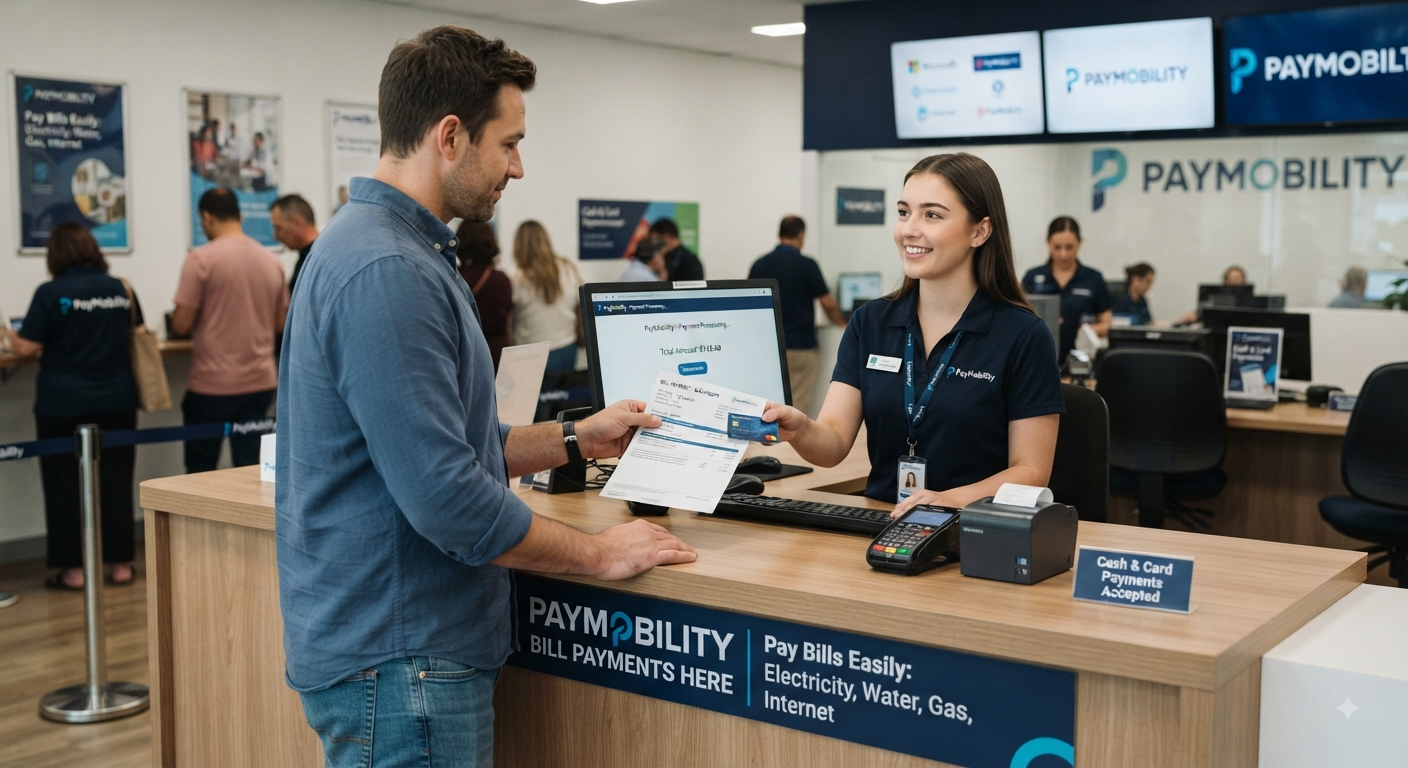
Paymobilitybill com is the online payment route used for Central Texas Regional Mobility Authority Pay By Mail toll bills. The Mobility Authority’s official website directs customers there to pay invoices, check account balances, sign up for electronic invoicing, and access customer-service options. The domain currently redirects users to the CTRMA payment portal at ct.rmatoll.com.
That simple description leaves drivers with several important questions. Is the website legitimate? Why can a bill arrive when you already have a toll tag? What happens if you miss the payment deadline, and how can you distinguish a genuine Mobility Authority notice from a toll-payment phishing text?
This guide answers those questions using current information published by the Central Texas Regional Mobility Authority (CTRMA). It also explains Pay By Mail rates, late-payment rules, toll-road coverage, billing disputes, payment alternatives, electronic tags, and practical steps that can prevent future toll problems.
What Is Paymobilitybill com?
Paymobilitybill com is associated with the Mobility Authority’s Pay By Mail billing system for Central Texas toll roads. Drivers who travel on a Mobility Authority facility without a valid electronic tag or registered prepaid account may have their license plate photographed, matched to vehicle registration records, and used to generate a mailed invoice.
The Central Texas Regional Mobility Authority is an independent government agency created in 2002 to improve transportation in Travis and Williamson counties. Its toll-road network includes 183A Toll, 290 Toll, MoPac Express Lane, 71 Toll Lane, 45SW Toll, and 183 Toll.
For drivers receiving a Pay By Mail bill from these facilities, Paymobilitybill com provides a centralized route for checking and paying the amount owed.
Is Paymobilitybill com a Legitimate Website?
Yes—provided you use the correct domain.
The Mobility Authority explicitly directs customers to PayMobilityBill.com for online payments and current account information. During this review, opening that domain redirected to the CTRMA payment environment at ct.rmatoll.com, which means seeing a different domain after entering the official address is not, by itself, evidence of fraud.
There is an important warning, though. The Mobility Authority has repeatedly alerted customers about smishing and phishing scams in which fraudulent messages claim that a toll balance must be paid immediately through an unfamiliar website.
That makes the way you reach the payment portal extremely important.
How the Pay By Mail System Works
Central Texas Mobility Authority toll facilities use all-electronic toll collection. Drivers do not need to stop at a traditional toll booth because cameras and electronic tolling equipment handle transactions while vehicles continue moving.
When a vehicle without a successfully billed electronic tag uses a Mobility Authority toll road, cameras record its license plate. Registration information is then used to identify the registered owner and mailing address, allowing an invoice to be generated through the Pay By Mail system.
The Mobility Authority states that Pay By Mail customers generally have 30 days from the bill date to pay their invoice. Payment can be made online, by phone, through the mail, or in person.
That deadline deserves attention. Waiting until a bill becomes seriously overdue can turn a relatively small toll charge into a larger balance containing processing and non-payment fees.
How to Pay a Toll Bill Through Paymobilitybill com
The safest way to use Paymobilitybill com is to type the official domain directly into your browser instead of opening a payment link from an unexpected text or email. Keep your paper invoice nearby because the payment system uses identifying details connected to the vehicle and bill.
Mobility Authority materials describing the payment portal indicate that Pay By Mail customers can use their invoice number and license plate information to locate outstanding balances and make payments.
A practical payment process is:
- Go directly to Paymobilitybill com by entering the official domain yourself.
- Confirm that any redirect takes you into the CTRMA/RMA toll-payment environment.
- Enter the requested invoice and vehicle information.
- Review the license plate, toll transactions, amount due, and fees carefully.
- Submit payment only after confirming that the information matches your bill.
- Save your receipt, confirmation number, email confirmation, or screenshot.
- If the invoice was already near its due date, check the account again to confirm the balance has cleared.
Taking a screenshot or saving the confirmation may seem unnecessary when everything works correctly. It becomes extremely useful if a payment later fails to post or another notice arrives.
What If Paymobilitybill com Redirects to Another Website?
Some drivers become suspicious when Paymobilitybill com does not remain visible in the browser address bar. That reaction is understandable because fake toll-payment websites often imitate government or transportation services.
At the time of this review, the official PayMobilityBill.com domain redirects to ct.rmatoll.com. Meanwhile, the Mobility Authority continues to tell customers to use PayMobilityBill.com for current account information and online toll payments.
The more useful security question is therefore how you reached the page.
Typing the official address yourself or navigating from the Mobility Authority’s official website is much safer than clicking a shortened, misspelled, unfamiliar, or urgent payment link received through an unsolicited message.
Other Ways to Pay a Mobility Authority Toll Bill
You are not required to use Paymobilitybill com if you prefer another payment method.
The Mobility Authority currently provides several payment options:
- Online payment
- Phone payment
- Payment by mail
- In-person payment
- QR-code payment from an eligible invoice
The official payment-options page lists the toll-free billing number as 833-762-8655 and a local/automated payment number as 512-410-0562. The automated attendant is available for invoice payments, while customer-service availability follows separate operating hours.
The QR code printed on a Mobility Authority invoice can also direct the customer to a personalized secure payment platform. The Authority notes that payment deadlines still apply even when customers enroll in text reminders.
Why Did I Receive a Toll Bill If I Already Have a Toll Tag?
This is one of the most confusing Pay By Mail situations.
Receiving a Paymobilitybill com invoice does not automatically mean the toll authority failed to recognize that you own a tag. The Mobility Authority explains that electronic-tag customers may receive a Pay By Mail bill when attempts to post toll transactions to the tag account are declined.
Possible account problems include:
- Insufficient account funds
- An expired or invalid payment card
- Incorrect vehicle information
- A license plate that does not match the tag account
- A tag listed as damaged or lost
- An account that is no longer in good standing
The Authority recommends maintaining a positive balance, valid payment method, correct plate information, and active electronic tag to reduce the likelihood of Pay By Mail billing.
Another source of confusion is TxTag. The Mobility Authority states that it is not TxTag, does not have access to TxTag account information, and that TxTag payment processing has moved to the Harris County Toll Road Authority.
Which Roads Can Generate a Paymobilitybill com Invoice?
A Paymobilitybill com invoice may relate to travel on roads operated by the Central Texas Regional Mobility Authority.
Its current open-road network includes:
- 183A Toll: approximately 16 miles, extending north from RM 620 through Cedar Park and Leander.
- 290 Toll: approximately 6 miles along US 290 between US 183 and SH 130 in east Austin.
- MoPac Express Lane: approximately 11 miles of variably priced express lanes between Cesar Chavez Street and Parmer Lane.
- 71 Toll Lane: approximately 4 miles along SH 71 from Presidential Boulevard to SH 130.
- 45SW Toll: approximately 3.6 miles connecting MoPac with FM 1626.
- 183 Toll: approximately 8 miles along US 183 between US 290 and SH 71.
One detail many drivers overlook is that Texas has multiple tolling authorities. Paying one Mobility Authority invoice does not necessarily settle every toll generated during a journey involving roads operated by another agency.
You may therefore receive separate bills from different operators for travel that occurred during the same trip.
Paymobilitybill com Rates, Processing Fees, and Costs
Pay By Mail is convenient because drivers can use eligible toll roads without opening a tag account first. Convenience comes at a higher price.
According to current Mobility Authority guidance, Pay By Mail toll rates are 50% higher than electronic-tag rates to cover additional processing costs. Standard Pay By Mail bills also include a $1 administrative or processing fee.
An additional $1 administrative charge may apply to vehicles with out-of-state license plates because registration information must be obtained from outside Texas.
That difference is worth understanding before deciding whether to remain a regular Pay By Mail customer.
Why Electronic Tags Cost Less
The Mobility Authority says electronic-tag users receive a 33% discount compared with Pay By Mail toll rates. Electronic tags also automate payment and reduce exposure to mailed-bill processing fees and late-payment problems.
Current interoperable options listed by the Authority include systems such as TollTag, EZ TAG, K-TAG, Pikepass, SunPass, BancPass, E-470 ExpressToll, and TxTag under its current processing arrangement.
For drivers who use Central Texas toll roads frequently, the toll-rate savings can matter far more over time than the $1 statement fee alone.
What Happens If You Pay Paymobilitybill com Late?
Ignoring a toll bill can become expensive.
The Mobility Authority says Pay By Mail customers have 30 days to pay before late charges begin. Its published non-payment process shows how the account progresses when the original bill remains unpaid.
The basic progression includes:
- Original toll bill: toll charges plus the $1 processing fee.
- 30 days past due: unpaid tolls and fees plus a $15 non-payment fee per invoice.
- 60 days past due: a Second Notice of Non-Payment stage.
- 90 days past due: a Final Notice of Non-Payment stage.
The Authority states that unpaid tolls can eventually result in additional enforcement measures and court-related consequences.
Texas law also allows stronger remedies for qualifying habitual violators. The Mobility Authority says a habitual violator can be a registered vehicle owner who receives two notices of non-payment covering an aggregate of 100 or more unpaid toll charges within a 12-month period. Potential enforcement can include registration renewal blocks, road bans, citations, fines, and vehicle impoundment.
The practical lesson is simple: if a Paymobilitybill com bill is correct, paying it before the deadline is much cheaper than allowing it to move deeper into the non-payment process.
How to Spot a Fake Paymobilitybill com Toll Text
Toll-payment scams deserve special attention because fraudulent messages often look convincing.
The Central Texas Regional Mobility Authority has an active warning about smishing and phishing messages claiming that recipients owe outstanding toll charges. The Authority says it will never request personal information through text or email and advises customers not to click suspicious links.
Scam messages commonly rely on urgency. They may threaten late penalties, registration problems, collection action, or other consequences unless a small balance is paid immediately.
Before entering financial information, use these checks:
- Manually type Paymobilitybill com instead of tapping an unsolicited payment link.
- Check whether the message references a real invoice you actually received.
- Compare the vehicle plate, travel dates, and toll facility against your records.
- Watch for misspelled domains, unusual extensions, extra hyphens, or added words.
- Never provide sensitive information merely because a text creates urgency.
- When uncertain, contact the Mobility Authority through independently verified contact details.
The Mobility Authority currently identifies 27974, 87038, 833-501-1743, 866-650-6142, and 512-575-3160 as numbers from which legitimate text messages may be received.
Even when a message appears legitimate, entering the official payment address yourself remains a strong security habit.
What to Do If a Paymobilitybill com Bill Is Wrong
Do not automatically pay a bill simply because it arrived by mail.
Start by checking the license plate, vehicle, transaction dates, toll-road location, invoice number, and charges. Remember that Texas toll billing generally follows the vehicle’s registered owner, so you may receive a legitimate invoice even when a friend or family member was driving your vehicle.
The Mobility Authority advises customers who believe they received an incorrect or duplicate bill to contact customer service. Its dispute process also allows tolls to be waived in qualifying situations when the required evidence is provided.
Issues worth investigating can include:
- An incorrect license-plate read
- Duplicate toll transactions
- A vehicle sold before the travel date
- A tag account that should have covered the transaction
- An incorrect vehicle assignment
- Ownership or registration problems
If you sold a vehicle, the Authority recommends removing the license plates and electronic tag, removing the vehicle from the tag account, and submitting the appropriate Vehicle Transfer Notification to the Texas DMV.
Keep Evidence Before Filing a Dispute
Keep copies of the invoice, registration records, tag-account statement, payment receipt, vehicle-sale documentation, and any correspondence related to the toll.
Documentation can help establish whether the issue involves vehicle ownership, an incorrect plate match, a failed tag transaction, duplicate billing, or payment that was not properly credited.
For deadlines and submission requirements, follow the instructions on the current bill and Mobility Authority dispute page. The Authority’s dispute information contains specific procedures, so relying on an outdated third-party blog could cause you to miss an important requirement.
Paymobilitybill com vs. TxTag and Other Texas Toll Systems
One of the biggest sources of payment confusion is assuming all Austin-area toll roads use one billing organization.
They do not.
Paymobilitybill com is associated with Mobility Authority Pay By Mail accounts, while other agencies and electronic-tag providers maintain separate billing systems. The Mobility Authority specifically notes that funds placed into a TxTag account do not automatically pay an already-issued Mobility Authority Pay By Mail invoice.
Likewise, paying a bill from another Texas toll authority does not necessarily mean your Mobility Authority balance has been paid.
When reviewing a toll notice, identify three things before paying:
- Which agency issued the bill
- Which road generated the toll
- Which payment account currently holds the balance
Those three checks can prevent duplicate payments and confusion between toll authorities.
How to Reduce Future Pay By Mail Bills
Occasional toll users may be comfortable paying invoices individually through Paymobilitybill com. Frequent users have more reason to consider an active electronic tag or Mobility Authority registered prepaid account.
The Mobility Authority offers a registered prepaid account for drivers who do not want an electronic tag. Its current program allows customers to manage vehicles and contact details online, automatically pay tolls using a funded balance, and use a credit or debit card for replenishment.
The prepaid system currently starts with a $25 account balance. When the balance reaches $15, an alert is generated, and the associated credit or debit card can be charged $20 to replenish the account.
Whatever payment method you choose, keep these details current:
- License plate
- Vehicle information
- Mailing address
- Electronic-tag status
- Payment card
- Account balance
A single outdated plate number or expired payment card can be enough to create billing problems that eventually lead back to Pay By Mail.
FAQs About Paymobilitybill com
1. What Information Do I Need to Use Paymobilitybill com?
Keep your toll invoice and vehicle information available before opening Paymobilitybill com. Mobility Authority payment-system materials indicate that a Pay By Mail customer can use an invoice number and license plate to locate and pay outstanding balances.
Check the plate carefully before submitting payment, particularly if your household owns multiple vehicles.
2. How Long Do I Have to Pay a Mobility Authority Toll Bill?
The Central Texas Regional Mobility Authority says Pay By Mail customers generally have 30 days from the bill date to pay their invoice. Once the bill becomes past due, non-payment fees can be assessed.
Use the due date printed on your actual invoice rather than estimating the deadline from the day the envelope arrived.
3. Can I Pay Without Using Paymobilitybill com?
Yes. Customers can pay Mobility Authority invoices online, over the phone, through the mail, in person, or through the QR code provided on eligible bills.
The current toll-free billing number published by the Authority is 833-762-8655.
4. Why Is My Pay By Mail Toll More Expensive Than the Tag Rate?
The Mobility Authority says Pay By Mail rates are 50% higher than electronic-tag rates because of the additional work involved in processing license-plate transactions and mailing invoices. A standard Pay By Mail bill also carries a $1 processing or administrative fee.
Electronic-tag customers effectively receive a 33% discount compared with the Pay By Mail toll rate.
5. Is a Text Saying I Owe a Toll Safe to Open?
Do not assume that it is.
The Mobility Authority has warned about smishing campaigns involving fake outstanding-toll messages and says it will not request personal information through text or email. Instead of clicking an unfamiliar payment link, independently open Paymobilitybill com or contact the Authority using its verified customer-service information.
Final Takeaway: Verify the Bill, Use the Official Route, and Pay on Time
Paymobilitybill com is a legitimate online payment route referenced by the Central Texas Regional Mobility Authority, but paying Central Texas tolls can still feel confusing. Multiple toll operators, electronic-tag providers, Pay By Mail invoices, redirects, processing fees, and increasingly convincing phishing messages can all appear connected when they are actually separate systems.
If you receive a Mobility Authority invoice, type the official domain yourself, match the license plate and invoice details, check the toll transactions, verify the due date, and save your payment confirmation. If anything appears incorrect, contact the Authority before the balance progresses into non-payment status.
For regular Central Texas toll-road users, maintaining an active electronic tag or registered prepaid account can also reduce toll costs and minimize future paper bills. Using Paymobilitybill com carefully when a bill does arrive—and keeping your vehicle, payment, and tag information current—is the simplest way to avoid unnecessary fees and payment headaches.